

Odoo error tracking with Sentry and GlitchTip: a must-have, not a luxury
Server logs tell you something broke after a user calls. Error tracking tells you first, with the full traceback and context. How we wire Odoo to Sentry or self-hosted GlitchTip with the OCA sentry module.
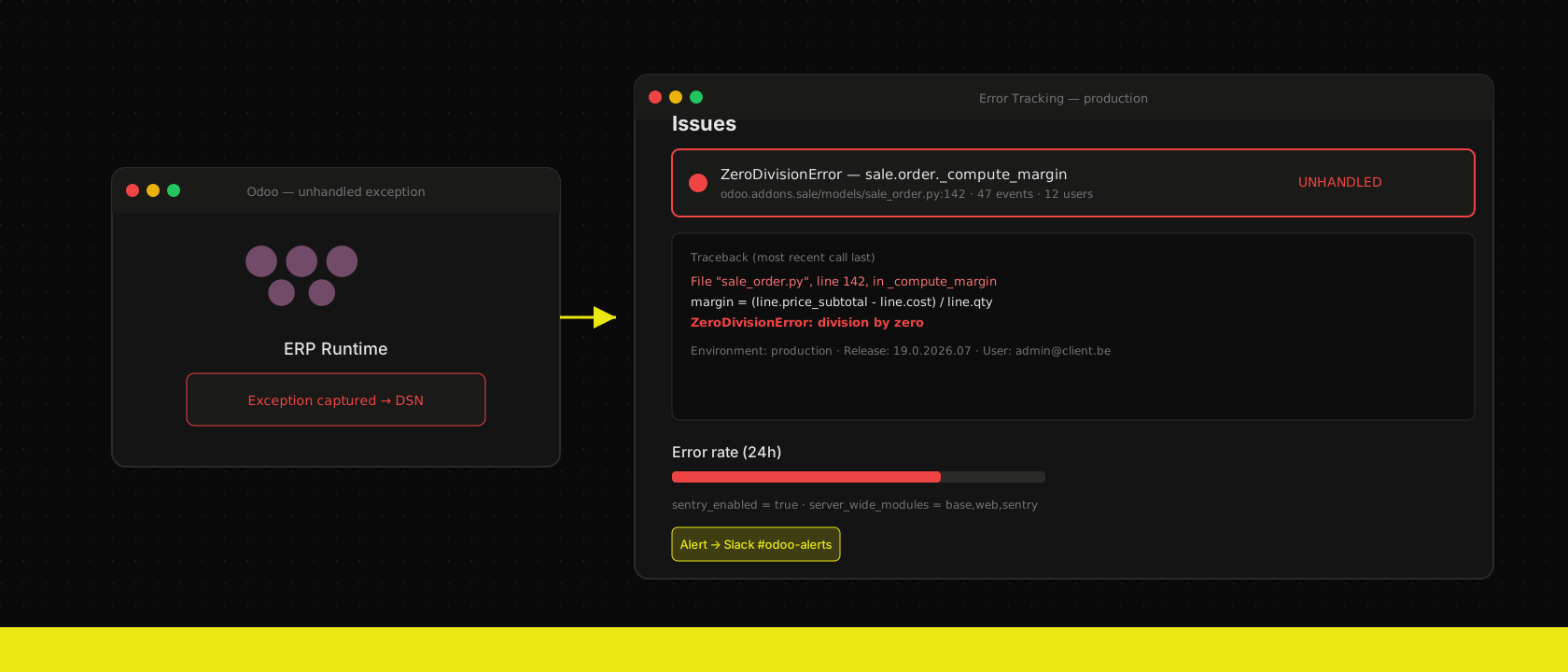
Every Odoo project eventually has this conversation: a user calls about "an error popup", they didn't screenshot it, they don't remember what they clicked, and the log file has scrolled three gigabytes past the evidence. Reconstructing the failure takes longer than fixing it would.
Error tracking ends that conversation permanently. Here's how we set it up on every project — and why we consider it non-negotiable.
The OCA module does the heavy lifting
The Odoo Community Association ships a sentry module that hooks Odoo's exception handling into any Sentry-compatible backend. Configuration is a few lines in odoo.conf:
server_wide_modules = base,web,sentry
sentry_dsn = https://<key>@errors.example.com/3
sentry_enabled = true
sentry_environment = production
sentry_release = 19.0.2026.07
From that moment, every unhandled exception is captured with the full traceback, the affected user, the database, the installed module versions and the request context — automatically, for every module you'll ever install.
Sentry or GlitchTip? Both, depending on the client
- Sentry (the hosted service) is the polished option: excellent UI, alerting integrations, generous free tier for small teams.
- GlitchTip is the open-source, API-compatible alternative we run self-hosted in our own cluster — for clients whose error payloads must not leave their infrastructure. Tracebacks contain data: record names, e-mail addresses, sometimes order contents. GDPR-sensitive projects get GlitchTip by default.
The Odoo side is identical either way — it's just a different DSN. That's the beauty of the protocol compatibility.
Why this is a must-have for every Odoo project
You find out before the user does. An exception in a nightly cron would otherwise fail silently for weeks — invoices not sent, stock not synced. With error tracking it pages us the first night.
One issue, not two hundred e-mails. Sentry groups identical errors: a bug hitting 200 users during a sales rush is one issue with a counter, a first-seen timestamp and the exact release that introduced it.
Releases become accountable. Tag events with the deployed version and you can answer "did the Tuesday deploy cause this?" with data instead of vibes.
Upgrades lose their fear factor. After an Odoo version migration, the error tracker is the honest scoreboard: yesterday 0 issues, today 3 — all reproducible, all with tracebacks, all fixed before most users log in.
The support-pack connection
This is also why our support runs the way it does: when a client with a support agreement reports something, we usually already have the traceback open. The ticket says "it crashed"; the tracker says where, for whom, since which release, and how often. Per-minute billing gets very efficient when the diagnosis is already done.
Ten minutes of setup on day one, or archaeology on every incident forever. We know which one we ship.
Want us to publish something specific?
Tell us what you'd like to read and we'll add it to our writing queue.
Get the next one in your inbox
New articles, videos and the occasional engineering note — a short mail when there’s something worth reading, nothing else.