

Odoo data in Metabase: reporting without giving everyone ERP logins
Management wants dashboards, not ERP seats. How we wire a Postgres read replica to Metabase for self-service BI — and the row-level care that keeps payroll off the office TV.
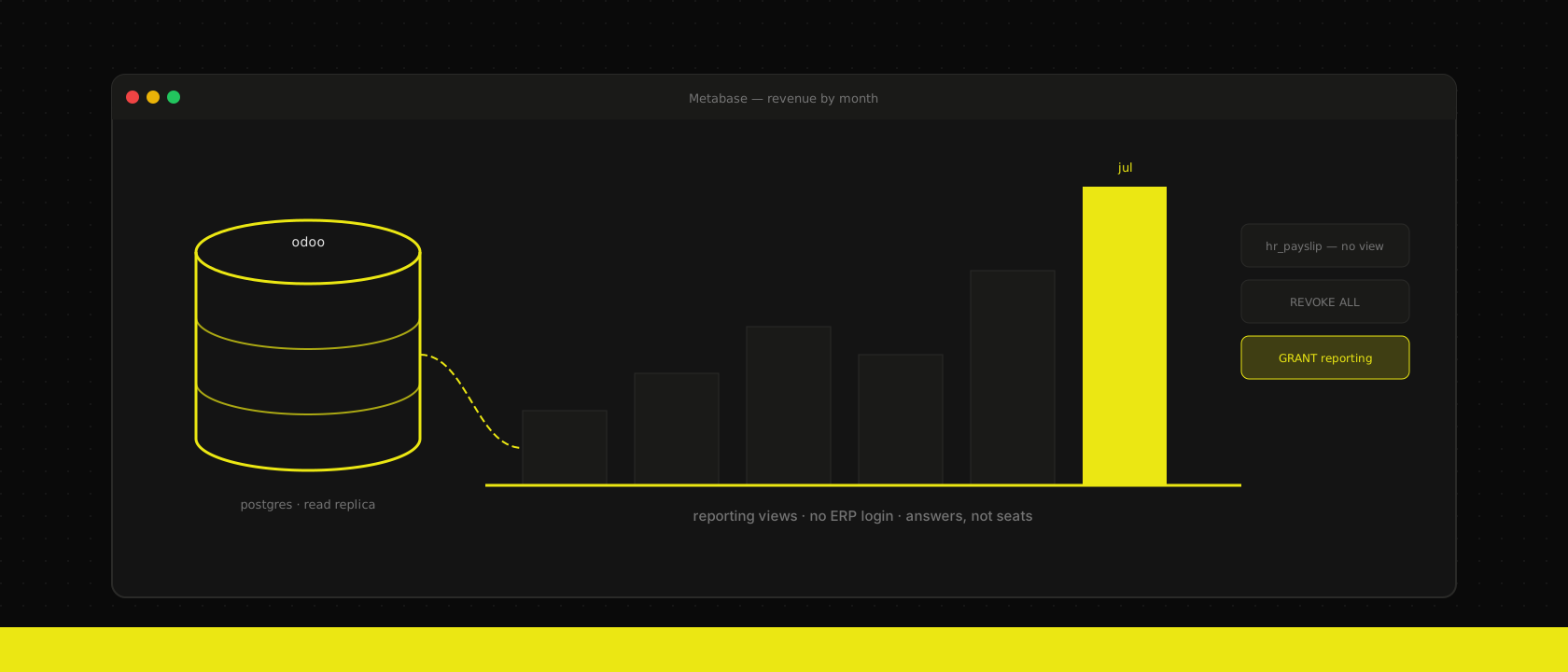
Somewhere around month three of every Odoo implementation, the same request lands: "Can management get a dashboard? Revenue per month, open orders, maybe pipeline per salesperson. Oh, and it should run on the TV in the office."
The reflex answer is more Odoo logins. It's the wrong answer, three times over. ERP seats cost money — and the people asking for dashboards will never create a quote or confirm a picking. An ERP login comes with buttons, and a director who only wanted a revenue chart now has a UI full of records they can accidentally edit. And Odoo's built-in reporting, good as it has become for operational users, is not a BI tool: no cross-model joins on your terms, no SQL your finance person can tweak, no dashboard that survives being asked a question it wasn't built for.
Before reaching for a BI stack, though, it's worth asking one question: does this dashboard need to be live?
Sometimes a frozen snapshot is all you need
Odoo 19's Dashboard app — built on Odoo spreadsheet — quietly covers a real slice of these requests natively. You compose the dashboard from pivot and list data inside Odoo, then share it with anyone via a link: no extra users, no seats, no licences. The trade-off is right there in the sharing model — what you share is a frozen snapshot, the numbers as they stood the moment you shared it, not a live view.
For plenty of reporting rhythms, that's not a limitation at all. A management report that goes out weekly, a board pack that goes out monthly — regenerate on that cadence and everyone reads the same stable numbers, which is arguably what a periodic report should be. We ship exactly this for clients whose reporting need is a cadence, not a feed, and it's the cheapest possible answer: zero infrastructure, zero extra logins.
The moment the requirement becomes "open it whenever and see current data" — self-service exploration, ad-hoc questions, numbers that are true right now on a laptop, a phone, or the meeting-room screen — a snapshot stops being sufficient. That's the line where we reach for Metabase. We offer both, and the client's requirement decides; the rest of this post is about doing the live half safely.
For live data: Odoo is a Postgres schema wearing an ERP
The answer we ship for realtime reporting: Odoo's data is just Postgres. Put a read replica next to it, point Metabase at the replica, and give everyone who needs answers a dashboard they can open from any browser — no ERP login, no licence — while everyone who does work keeps using Odoo. Two places where doing this carelessly will hurt you; both are below.
Strip away the ORM and Odoo is remarkably readable SQL. Models map to tables by underscore: sale.order is sale_order, account.move is account_move, crm.lead is crm_lead. Columns are the field names you already know from Studio. A revenue-per-month question is a four-line query:
SELECT date_trunc('month', invoice_date) AS month,
       sum(amount_untaxed_signed)        AS revenue
FROM account_move
WHERE move_type IN ('out_invoice', 'out_refund')
  AND state = 'posted'
GROUP BY 1 ORDER BY 1;
That state = 'posted' is doing real work — and it's the first lesson of reporting on Odoo directly: the business rules live in the application, not the schema. Draft invoices sit in the same table as posted ones. Cancelled orders keep their rows. Archived products are just active = false. Forget one filter and your dashboard confidently reports numbers that finance will spend an afternoon disproving. More Odoo-specific trapdoors:
statecolumns everywhere. Nearly every document model has one, and nearly every honest metric filters on it.- Signed vs unsigned amounts. On
account_move, use the_signedcolumns so credit notes subtract instead of add. - Multi-company rows share tables. If you run multiple companies in one database, every reporting query needs a
company_iddiscipline. - Translated fields are JSONB since Odoo 16 —
product_template.nameisn't text, it's{"en_US": ..., "nl_BE": ...}. Extract one language in your views or Metabase will render JSON blobs at the board meeting.
Never point BI at the production database
The second lesson costs more than embarrassment. An analyst exploring data will, sooner or later, write the query from hell — a sequence scan across eight years of stock_move joined five tables deep. On the production database, that query competes with the workers serving your actual users, and we've written before about how little headroom a mistuned Odoo has. BI load is spiky, unpredictable and issued by people who've never heard of EXPLAIN. It does not belong on the box that confirms sales orders.
A streaming read replica solves this completely, and on any of our hosted stacks it's one manifest away — CloudNativePG grows a replica from instances: 2 and a read-only service. Metabase connects to the replica; production never feels a thing. Two settings matter:
# BI queries may run long; don't let replication kill them mid-flight
max_standby_streaming_delay = 90s

# ...but nothing gets to run forever, either (set per role, below)
Replica lag is seconds. For a dashboard that answers "how did July go?", seconds of staleness is not a real constraint — anyone who claims to need second-accurate revenue numbers on a wall TV is solving a different problem.
A reporting schema, because raw tables are a trap
Don't hand Metabase the raw schema and wish everyone luck. Every trapdoor above would need to be re-remembered by every person writing every question. Instead we create one Postgres schema of curated views on the replica — the business rules, encoded once:
CREATE SCHEMA reporting;

CREATE VIEW reporting.revenue AS
SELECT m.invoice_date,
       m.amount_untaxed_signed AS amount,
       rp.name                 AS customer,
       m.company_id
FROM account_move m
JOIN res_partner rp ON rp.id = m.partner_id
WHERE m.move_type IN ('out_invoice', 'out_refund')
  AND m.state = 'posted';

CREATE VIEW reporting.product_sales AS
SELECT l.qty_delivered,
       l.price_subtotal,
       pt.name ->> 'en_US' AS product   -- translated JSONB, pick one language
FROM sale_order_line l
JOIN product_product pp ON pp.id = l.product_id
JOIN product_template pt ON pt.id = pp.product_tmpl_id
JOIN sale_order o ON o.id = l.order_id
WHERE o.state = 'sale';
Metabase treats each view as a clean table: no state columns to forget, no JSONB, names a human recognises. When the definition of revenue changes — it will — you fix one view, and every question and dashboard built on it is correct again. The raw tables stay reachable for the two people who genuinely need them; everyone else gets the paved road.
The part that keeps payroll off the office TV
Here's the sentence that should give you pause before wiring any BI tool to an Odoo database: everything you've configured in Odoo about who may see what — groups, access rights, record rules — is enforced by the application, and you just went around the application. We wrote a whole post on Odoo's access-rights machinery; at the SQL level, none of it exists. The record rule that hides payslips from non-HR users does nothing for a Metabase question, because hr_payslip is right there, one SELECT away, readable by whatever database user you connected with.
So the security model has to be rebuilt at the database layer — which is less work than it sounds, because Postgres grants are a blunt, reliable instrument:
CREATE ROLE metabase_ro LOGIN PASSWORD '...';
REVOKE ALL ON DATABASE odoo FROM metabase_ro;
GRANT CONNECT ON DATABASE odoo TO metabase_ro;
GRANT USAGE ON SCHEMA reporting TO metabase_ro;
GRANT SELECT ON ALL TABLES IN SCHEMA reporting TO metabase_ro;

-- analysts fat-finger queries; production-grade patience only goes so far
ALTER ROLE metabase_ro SET statement_timeout = '60s';
The rules we hold ourselves to:
- The BI role never sees
public. If a table isn't deliberately exposed through a reporting view, it doesn't exist. HR, payroll and anything person-sensitive never get a view at all. - Sensitive-but-needed data gets its own schema. Margin per deal is management material, not sales-floor material. A second schema (
reporting_mgmt) with its own role and its own Metabase database connection keeps the audiences apart — Metabase group permissions then map one-to-one onto database connections, which is the cheap and honest way to do row-level care on the open-source edition. - Views aggregate away what dashboards don't need. The TV shows revenue per month; it does not need invoice-line granularity with customer names. Aggregating inside the view means the sensitive resolution never even reaches Metabase's cache.
GDPR earns a mention here because a BI cache is still personal data. Metabase stores query results; if a view exposes customer names, those names now live in a second system with its own retention story. Aggregated views mostly dissolve the problem — one more reason to prefer them.
What stays in Odoo
Honest boundaries, because Metabase-on-a-replica is not the answer to everything:
- Operational lists stay in the ERP. "My open deliveries for today" belongs in Odoo, where the user can act on the record — a dashboard you can't click through to the document is a frustration generator for doers.
- Anything that writes — approving, reminding, reordering — is application work. BI is read-only by construction here, and that's a feature, not a gap.
- Per-user record visibility inside one dashboard (each salesperson sees only their own pipeline in the same chart) is Metabase's paid sandboxing feature. On open source, split by schema and connection as above, or accept team-level rather than person-level scoping.
The rule of thumb
Count the people in the company who need answers against the people who need to do things. In every SME we've worked with, the first group is three times the size of the second — and giving them ERP seats serves nobody: they pay for software they won't use and gain access they shouldn't have.
So split the two audiences, then let the reporting rhythm pick the tool. A report on a cadence — weekly numbers, a monthly board pack — is a shared Odoo dashboard snapshot: zero infrastructure, zero seats, done. Anything that has to be true the moment it's opened — from a laptop, a phone, or the screen in the meeting room — is Metabase on a read replica, with a reporting schema in between encoding the business rules once. One afternoon of grants and views buys self-service BI that can't slow production down and can't leak what it was never granted — which is exactly the amount of trust a dashboard anyone can open without logging in should require.
Want us to publish something specific?
Tell us what you'd like to read and we'll add it to our writing queue.
Get the next one in your inbox
New articles, videos and the occasional engineering note — a short mail when there’s something worth reading, nothing else.