

Pixel-perfect Odoo PDFs with QWeb: quotes and invoices clients sign
The quote is the most-read document your company produces, and the default Odoo template screams default. How we build QWeb reports that match brand guidelines exactly — headers, fonts, terms — without losing the fight against wkhtmltopdf.
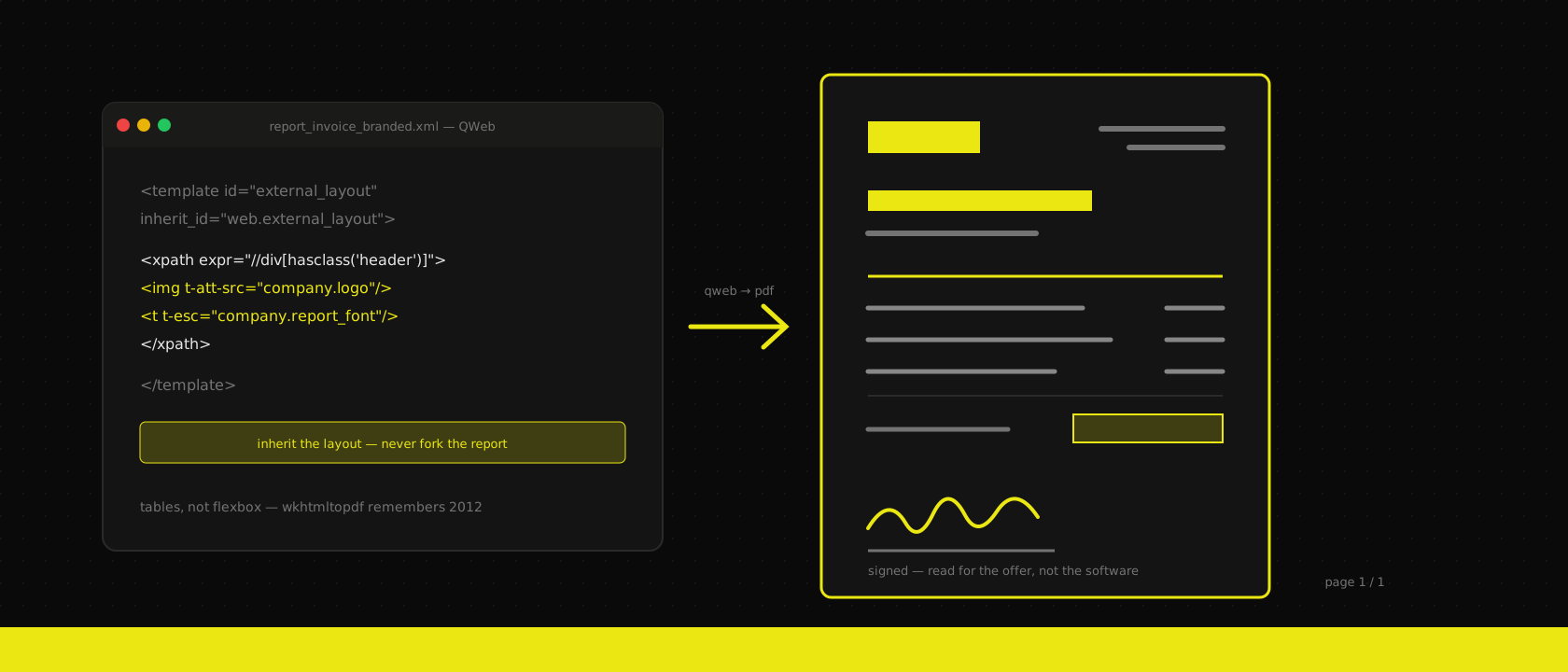
Your website went through three design rounds. Your pitch deck has a brand police. And then the most-read document your company produces — the quote a prospect forwards to their board, the invoice your best client files every month — goes out in Odoo's default report template, with the logo squeezed into the wrong corner and a font that says ERP louder than any watermark could.
We see this on almost every Odoo implementation we take over: thousands of euros into brand identity, zero hours into the documents that actually get signed. It's not laziness — it's that Odoo's reporting stack has a reputation for being painful, and the first attempt usually ends in a fight with the PDF engine. The reputation is half-earned. QWeb itself is a perfectly good templating system; the pain lives one layer down, in wkhtmltopdf, and it's avoidable once you know the rules of the ring. Here's how we build report templates that survive contact with both the brand guide and the rendering engine.
Know the pipeline before you style anything
Every PDF Odoo produces goes through the same three steps: a QWeb template (XML with t- directives) renders your record into HTML, a paper format (report.paperformat) defines the page geometry, and wkhtmltopdf turns the HTML into a PDF. That last step is the one that matters for styling decisions, because wkhtmltopdf is a headless build of a WebKit from roughly 2015. It predates CSS grid entirely, its flexbox support is the old, buggy draft, and modern CSS you take for granted simply isn't there.
This single fact explains ninety percent of "QWeb is broken" tickets. The template did exactly what you asked; you asked for CSS the engine has never heard of. So rule one, and it's non-negotiable: lay out reports like it's 2012. Tables for structure, floats where you must, inline-block for badges and labels. Save the flexbox for your web frontend. A developer who accepts this on day one ships in a week; a developer who keeps trying to sneak display: grid past the engine ships never.
Rule two follows from the same place: preview in HTML, sign off in PDF. During development, Odoo can render any report as HTML in the browser (the report URL with /html/ instead of /pdf/) — that's your fast iteration loop, with working dev tools. But the browser is a modern engine and wkhtmltopdf is not, so nothing is done until you've seen the actual PDF. We've watched pixel-perfect HTML previews fall apart in the real render often enough that the PDF check is a hard gate in our definition of done.
Inherit the layout, don't fork the report
Odoo's documents all share one wrapper: web.external_layout, the template that draws the header with your company details, the footer with the legal fine print, and everything between. The classic mistake is copying an entire report — say sale.report_saleorder — into a custom module and restyling the copy. It works beautifully until the next Odoo upgrade changes the original, and now your fork silently misses the new tax summary block or the updated e-invoicing mentions that Belgian compliance just started requiring.
Our approach, the same one we apply to every customisation: inherit, never fork.
- Brand the wrapper once. Inherit
web.external_layout(or provide your own layout variant) and put the logo placement, brand colors, typography and footer structure there. Every document — quotes, invoices, delivery slips, purchase orders — picks it up automatically and consistently. The brand guide gets implemented exactly once. - Patch documents surgically. For per-report changes, use QWeb inheritance with XPath to add, move or hide specific blocks inside the standard template. An upgrade that reshuffles the original will either merge cleanly or fail loudly at install — both beat a stale fork that fails silently.
- Keep the paper format in data. Margins, page size, DPI and header height live on
report.paperformatrecords, in XML, in the module. Not clicked together in Settings on the production database. Like everything else we ship, the report is code in git: reviewable, diffable, deployable to a fresh database without archaeology.
That last point is where we draw the same line as in Studio versus custom modules: tweaking a label through the UI is fine for a prototype, but a document your clients sign is a production artifact. It gets version control.
Fonts, headers and the wkhtmltopdf rulebook
The brand guide says Graphik and the PDF says Helvetica — fonts are the first place pixel-perfect dies. wkhtmltopdf renders on the server, so the font must exist on the server: installed system-wide in the Odoo container image, or embedded in the report CSS as a base64 @font-face. Google Fonts links that work in the HTML preview will half-work in the PDF — sometimes rendering, sometimes timing out per page — because the engine fetches assets over the network with its own patience. Ship the fonts in the image, name the exact family in CSS with a sane fallback, and the problem never comes back. (This is one of the perks of running Odoo in containers: the font is a Dockerfile line, identical on staging and production, not a note in a server runbook.)
Headers and footers play by their own rules, and knowing them saves days:
- They render as separate HTML documents. Your report body's CSS classes don't exist inside the header unless the layout includes them there. Style the header in the layout template, not from the body.
- Their height is declared, not measured. The paper format's margins and
header-spacingreserve the room; wkhtmltopdf will not measure your beautiful tall header and adjust. If the logo overlaps the address block on page two, the fix is inreport.paperformat, not in CSS. - Page numbers are free.
<span class="page"/>and<span class="topage"/>give you "page 2 / 5" in the footer — one of the few things the old engine does with zero fuss.
And for the body: multi-page behavior is where quotes with twenty lines go to die. page-break-inside: avoid on table rows keeps a product line from splitting across pages; page-break-before: always puts the terms and conditions on their own page; repeating <thead> gives you column headers on every page of a long order. These three properties are old enough that wkhtmltopdf respects them faithfully — they are your entire pagination toolkit, and they're enough.
The details clients actually notice
Pixel-perfect isn't just geometry. The documents that come out of a well-built template are correct in ways the default never is:
- The terms that lawyers wrote. General conditions in the footer or on a dedicated final page, in the customer's language, pulled from the company record — not pasted into a settings field by whoever set up the database in 2021. With multi-language QWeb, the same template renders Dutch for the Antwerp client and French for the Liège one, terms included.
- Multi-company without divergence. One layout, branded per company through company fields (logo, color, footer text) — so the second entity you add next year inherits a correct document set on day one instead of a copy-paste project.
- Totals that read like your offer, not like your database. Sections and subtotals arranged the way sales presents the deal, optional lines visibly optional, the discount framed the way you want it framed. QWeb has full access to the record, so the document can follow the commercial logic instead of echoing table rows.
None of this is exotic. It's an afternoon of design translation and a few days of disciplined template work — a rounding error against what the brand identity cost, for the artifact that carries it into every deal.
Where this lands in practice
A word on limits: wkhtmltopdf is unmaintained upstream, and the ecosystem knows it — but it remains what Odoo ships and what every standard report runs through, so fighting it is optional and losing to it is not. For the rare report that genuinely needs modern layout — a designed annual summary, a data-heavy dashboard export — we step outside and render it with a headless modern browser instead. And when reports are heavy rather than pretty, that's a different problem with a different fix: offload the rendering to a queue so nobody's browser tab waits on a 400-page batch.
But for the quote and the invoice — the two documents every client reads — the standard stack, used with discipline, gets you all the way to the brand guide. Inherit the layout, ship the fonts, respect the engine's age, and put the whole thing in a module under version control. The result is a document a client signs without ever thinking about the software that produced it. Which is exactly the compliment good tooling gets: none at all.
Want us to publish something specific?
Tell us what you'd like to read and we'll add it to our writing queue.
Get the next one in your inbox
New articles, videos and the occasional engineering note — a short mail when there’s something worth reading, nothing else.